
To start with I obviously began by filming all of my footage. All together I had over 89 pieces of footage from all of my filming, and these clips were at minimum 5 minutes long, some even ranging to 20 minutes. Once all of the filming had taken place I then began to import each file into a program called Adobe Premiere Pro, this initially took about an hour.
Along with importing the song file into Premiere Pro, I simply started by putting the song file into the audio section of the program. I then started on creating the time lapse piece of footage. This was several clips all merged together and conjoined to create one long piece. This footage was filmed over a three hour period but when each section was sped up, to 7000x it's normal speed, the time lapse came to be about 10 seconds long.
The time lapse was created in a separate project before it was imported into Premiere on a different project. This different project would be the one I would be creating my final piece on.

I began by starting to load footage into the timeline bar, and begin position it in the places I wished it to be. This proved to be a lengthy process, and it quickly became hours and hours of work. Moving through the project, once the footage was properly in place I started to chop at it and begin adding the film effects I desired. This was also a lengthy process. Below are some screenshots show this process.
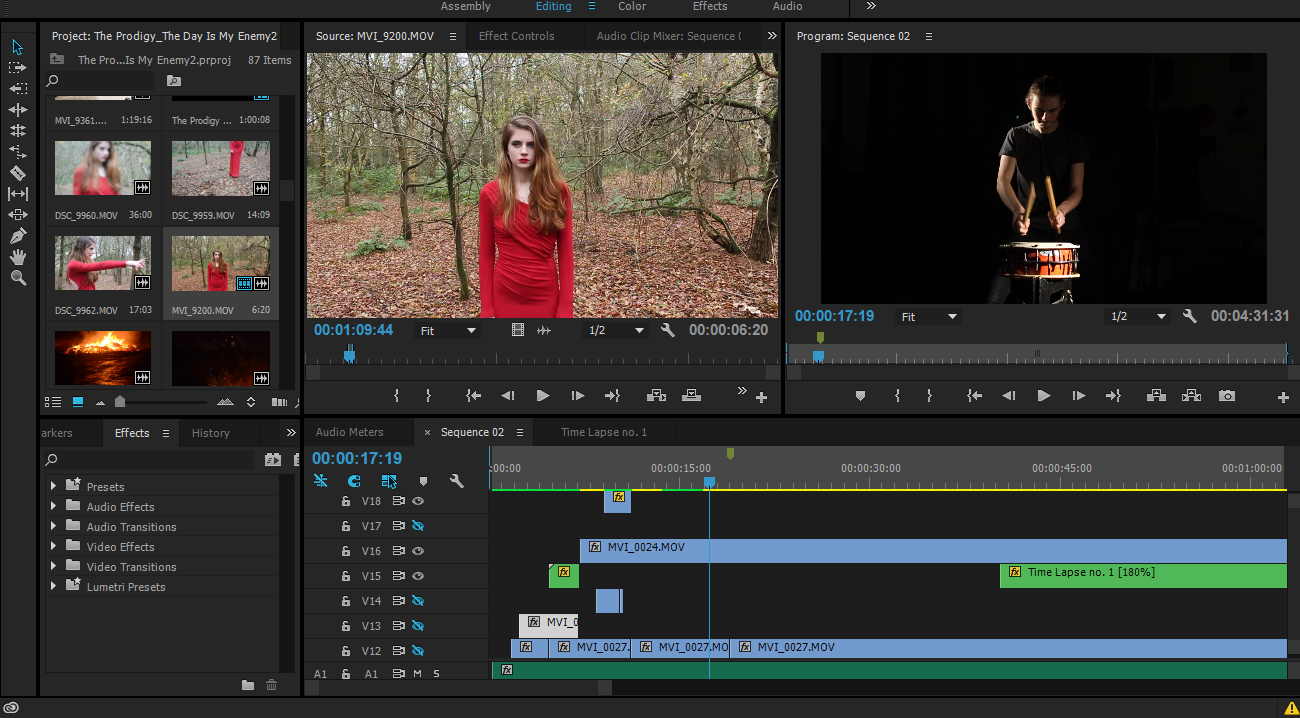

Once all the footage and effects were in place, I started to edit how each piece of footage looked, meaning I could add more effects, change the hue, add contrast and even change the levels. On specific parts of my footage, for example on the bits where I have my male actor in the horror make-up flail through the forest, I made it grainy to give a hand-held video feel and make the footage look more twisted.
Once my video was done, I exported it at the proper setting and then uploaded it to youtube.


No comments:
Post a Comment